
What Does an MCP Server’s Counter Actually Hand You?
Part 3 of 6: what a server declares, what it validates, and the two different ways a call can fail
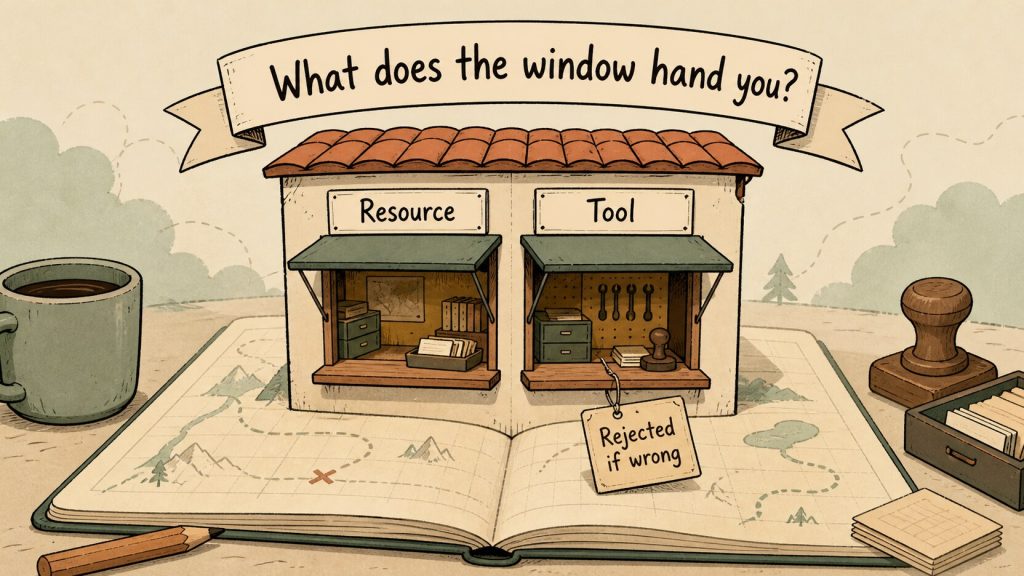
This is part 3 of a six-part series called “Building an MCP Client in React.” Part 1 laid out the map: MCP connects a host, a client, and a server over JSON-RPC 2.0, and a server acting as a gateway to a database naturally exposes table definitions as a Resource and SQL execution as a Tool.
Part 2 walked through how you actually talk across that gateway — the headers Streamable HTTP requires and the shape of what comes back over SSE.
This part turns to the other side of that conversation: the design of the counter itself. What can a server safely hand over, and what’s dangerous to hand over? We’ll look at what we registered on a real server and what actually came back when we called it.
Setup: A Minimal Server and the Traffic We Measured
Everything below comes from Node.js v22.12.0, the official TypeScript SDK (@modelcontextprotocol/sdk) at version 1.30.0, run on 2026-08-06.
As parts 1 and 2 established, this SDK implements protocol revisions only up through 2025-11-25.
For this part we stood up a single minimal MCP server registering eight tools and two resources — one at a fixed URI, one behind a URI template — and talked to it over stateless Streamable HTTP (no session issued).
The tools come in pairs: one built to behave correctly, one deliberately broken, so we could see exactly what makes the difference between the two.
Nothing here talks to a real database, and none of it is tied to any particular product or service.
Resource, Prompt, Tool: What the Counter Offers
As part 1 touched on, the spec sorts what a server can offer into three kinds.
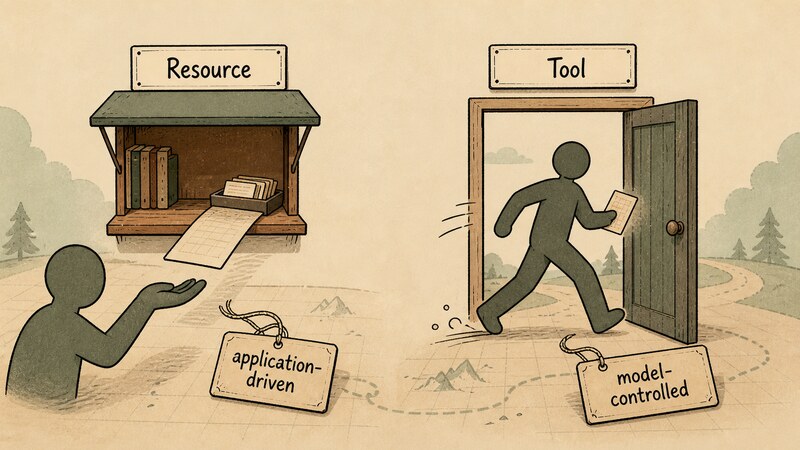
- Resources: context or data for a user or an AI model to use
- Prompts: templated messages or workflows aimed at the user
- Tools: functions the AI model can execute
All three are “things a server can hold,” but the interaction each one assumes is different. The spec labels Resources “application-driven” and Tools “model-controlled.” It helps to read that as: a Resource is data the host application chooses to pull in as context, while a Tool is an action the model itself decides to invoke.
That distinction turns directly into a design decision for the running example’s database gateway. A table’s schema is material the host needs to fetch and hand to the LLM API before it can even write SQL — it isn’t something the model decides on its own initiative to “call right now.” That makes it a Resource. Running the SQL, on the other hand, only happens once the model decides “I want this SQL executed,” which makes Tool the natural fit.
We didn’t use Prompts here. As part 1 established, the running example’s translation from natural language to SQL happens on the host side, calling the LLM API directly and outside MCP — so there was never a templated, user-facing workflow that needed to live on the server.
inputSchema Turns Into JSON Schema draft-07
A Tool carries an inputSchema property — the contract that tells a model “call me with these arguments.” In today’s official TypeScript SDK, you write that schema with a library like zod, and the SDK converts it to JSON Schema before putting it into the tools/list response. Here’s what we actually measured (pasted verbatim).
{
 "name": "echo",
 "title": "Echo",
 "description": "Echoes text",
 "inputSchema": {
  "type": "object",
  "properties": { "text": { "type": "string" } },
  "required": [ "text" ],
  "additionalProperties": false,
  "$schema": "http://json-schema.org/draft-07/schema#"
 },
 "execution": { "taskSupport": "forbidden" }
}
Two things about this are worth pulling apart.
First, $schema. The spec says that if inputSchema omits $schema, it should be treated as 2020-12 — but what we measured had it explicitly set to http://json-schema.org/draft-07/schema#. JSON Schema has run through several revisions, from draft-04 up to draft-2020-12, and what a given keyword means (and which cases it covers) shifts slightly between them. draft-07 is a settled, older revision whose keyword semantics are close to 2020-12’s, and it’s the version the widest range of validation libraries actually support. Picking draft-07 looks like an implementation choice favoring broad library compatibility (we didn’t trace this back to the source to confirm the actual reasoning).
Second, additionalProperties: false. Any inputSchema with properties came with this attached automatically. additionalProperties is the JSON Schema keyword that decides whether an object may carry keys not listed in properties; setting it to false turns any undeclared argument into a schema violation. If a model fabricates an argument that isn’t part of the contract, this is what catches it.
This isn’t cosmetic — it’s actually enforced. Send an argument of the wrong type (a number where text expects a string), and it gets rejected like this (pasted verbatim).
event: message
data: {"result":{"content":[{"type":"text","text":"MCP error -32602: Input validation error: Invalid arguments for tool echo: Expected string, received number at text"}],"isError":true},"jsonrpc":"2.0","id":7}
Leave out a required argument and it gets caught through the same path.
event: message
data: {"result":{"content":[{"type":"text","text":"MCP error -32602: Input validation error: Invalid arguments for tool echo: Required at text"}],"isError":true},"jsonrpc":"2.0","id":8}
A validation failure on input comes back as isError: true on an otherwise successful response, not as a JSON-RPC error carrying an error field. This same shape matters again once we look at how failures travel later in this article.
One more thing showed up in this response: execution: { "taskSupport": "forbidden" }. Every tool we registered carried this, without exception. execution.taskSupport is a field that says whether a tool can be targeted by the Tasks extension (running an operation asynchronously and coming back for the result later); leave it unspecified and the default is forbidden. Tasks itself is part 5’s subject — for now, the fact worth keeping is that saying nothing about it is itself a declaration that async support is off by default.
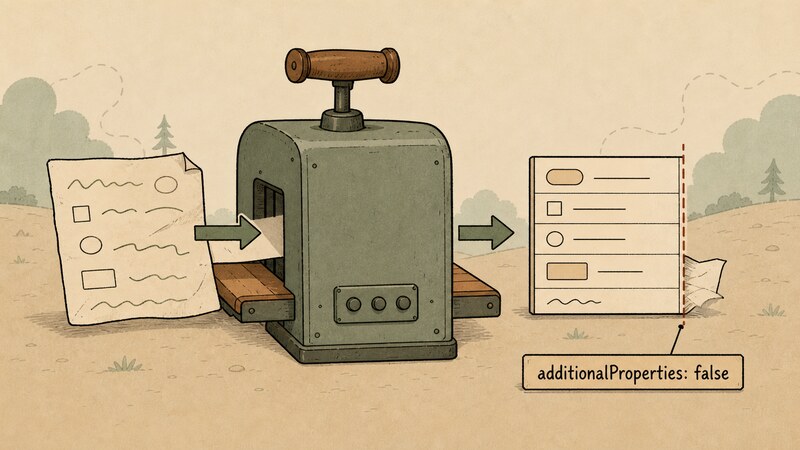
inputSchema turns into JSON Schema draft-07, and undeclared arguments get trimmed offWhat Happens When You Declare outputSchema
outputSchema is inputSchema‘s counterpart. The spec calls it optional, but it’s explicit about what happens once you declare one.
If an output schema is provided: Servers MUST provide structured results that conform to this schema. Clients SHOULD validate structured results against this schema.
In short: declare an output schema, and the server is obligated (MUST) to return structured results that match it, while clients should (SHOULD) validate against it too. That tells you it’s enforced once declared — but the only way to see what that enforcement actually looks like is to break it on purpose.
We built three tools sharing the same outputSchema ({ table: string, count: number }, a table name paired with a row count), and tried returning it correctly, forgetting it, and returning the wrong shape. In terms of the running example, this table/count pair stands in for the smallest useful summary you’d want back: which table, how many rows.
Returned correctly (pasted verbatim).
event: message
data: {"result":{"content":[{"type":"text","text":"{\"table\":\"customers\",\"count\":42}"}],"structuredContent":{"table":"customers","count":42}},"jsonrpc":"2.0","id":2}
structuredContent carries exactly the declared values.
Forgot to return structuredContent at all.
event: message
data: {"result":{"content":[{"type":"text","text":"MCP error -32602: Output validation error: Tool row_count_missing has an output schema but no structured content was provided"}],"isError":true},"jsonrpc":"2.0","id":3}
Returned the wrong shape (a string instead of a number for count).
event: message
data: {"result":{"content":[{"type":"text","text":"MCP error -32602: Invalid structured content for tool row_count_wrong_shape: Expected number, received string at count"}],"isError":true},"jsonrpc":"2.0","id":4}
Forgetting it and getting the shape wrong were both rejected the same way. Both cases came back as HTTP 200 and a JSON-RPC success; the failure shows up only as isError: true. The string -32602 appears in the message body, but it isn’t sitting in a real JSON-RPC error.code field — it’s just part of the text. Our measurements confirm validation is happening, but claiming that declaring outputSchema guarantees enforcement is a statement specific to this SDK. What the spec actually requires (MUST) is only that a server return conforming results; how it detects and reports a violation of that obligation is left to the SDK’s own implementation.
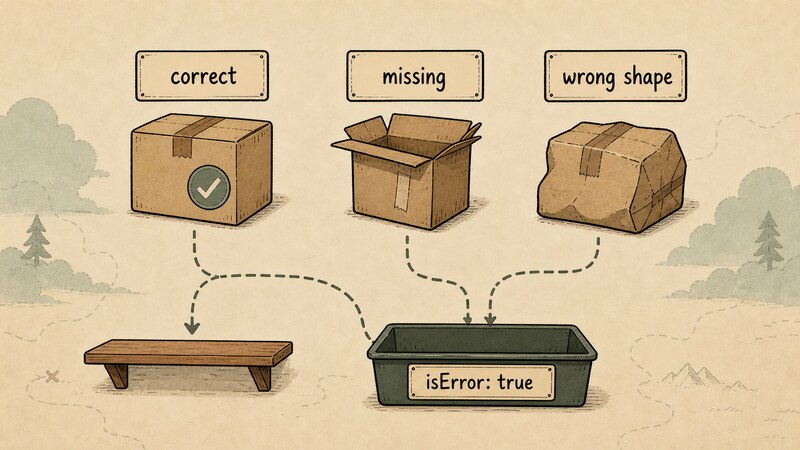
outputSchema — correct, missing, and the wrong shapeannotations Pass Through Untouched — the Spec Says Don’t Trust Them
A Tool also carries an optional annotations property — a place to state hints about how the tool behaves: whether it’s read-only (readOnlyHint), whether it’s destructive (destructiveHint), whether calling it twice with the same arguments is safe (idempotentHint), whether it talks to the open outside world (openWorldHint). The tools/list response we measured carried the declared values through exactly as-is (pasted verbatim).
"annotations": {
  "readOnlyHint": true,
  "destructiveHint": false,
  "idempotentHint": true,
  "openWorldHint": false
}
If a server says “this tool is read-only,” that claim reaches the client completely unfiltered. The spec doesn’t tuck its warning about this away under a separate security-considerations heading — it’s attached directly to the definition of the annotations field itself, as a callout right there.
For trust & safety and security, clients MUST consider tool annotations to be untrusted unless they come from trusted servers.
Put those two facts side by side and an asymmetry appears. The SDK passes annotations through exactly as a server declared them, with no mechanism to check whether the claim is even true. The spec, meanwhile, requires (MUST) that a client not take that claim at face value. A “whoever says it wins” pathway and a “doubt what you’re told” norm are living on the exact same field.
This isn’t abstract for the running example’s SQL-execution tool, either. If a server states readOnlyHint: true on its own execute_sql tool, a host deciding “fine to run without confirmation” on that basis alone is precisely the behavior the spec forbids. Whatever tells you a server is actually trustworthy — its provenance, a signature, verification through a registry — doesn’t live inside annotations itself. The spec’s position is that a server’s declared claims need to be weighed against context sitting outside annotations entirely: who actually published it.

annotations pass through untouched, but the spec says not to trust themFailure Takes a Different Door for a Tool Than for a Resource
Everything so far has been about a correctly designed tool behaving as intended. Next question: what happens when you call something that isn’t there at all? The Tools chapter’s “Error Handling” section splits failure into two kinds.
Protocol Errors indicate issues with the request structure itself that models are less likely to be able to fix… They are returned as standard JSON-RPC errors… Tool Execution Errors contain actionable feedback that language models can use to self-correct… They are reported in tool results with isError: true.
And the spec cites an “Unknown tool” as its example on the Protocol Error side, with a sample response like this.
{“jsonrpc”: “2.0”, “id”: 3, “error”: {“code”: -32602, “message”: “Unknown tool: invalid_tool_name”}}
Read literally, calling a tool that doesn’t exist should come back as a genuine protocol error carrying a JSON-RPC error field. This classification appears with the same wording in the 2025-11-25 revision — the one the SDK we tested actually implements — so it isn’t something new that 2026-07-28 introduced. But calling a tool that actually doesn’t exist gave us this (pasted verbatim).
event: message
data: {"result":{"content":[{"type":"text","text":"MCP error -32602: Tool no_such_tool not found"}],"isError":true},"jsonrpc":"2.0","id":9}
Not a protocol error with an error field — a success response carrying isError: true. Read as JSON-RPC, this is the shape of success: a result came back. The -32602 the spec’s example shows as a real error code never appears as an actual error.code here; it only shows up embedded inside the message text.
The same kind of “call something that doesn’t exist” operation, tried on a resource instead, came back differently. Reading a URI that doesn’t exist gave us this.
event: message
data: {"jsonrpc":"2.0","id":14,"error":{"code":-32602,"message":"MCP error -32602: Resource db://nope not found"}}
This one is a genuine JSON-RPC error, carrying a real error field. The Resources chapter’s own Error Handling section backs this up.
If the requested resource does not exist, servers MUST return a JSON-RPC error with code -32602 (Invalid Params)… Servers MUST NOT return an empty contents array for a non-existent resource.
This one matched the spec exactly.
This asymmetry is a real trap for anyone writing a client. If your client logic only checks whether a JSON-RPC error field is present to detect failure, it will never catch the nonexistent-tool case. result came back, so it reads as success, and the isError: true plus the message text sitting inside content get missed entirely. Catching a tool’s failure correctly means checking both the error field and the isError field — that’s the conclusion our measurements point to.
For reference, resources that are actually registered list and template out like this (pasted verbatim).
event: message
data: {"result":{"resources":[{"uri":"db://tables/customers/schema","name":"schema-customers","title":"customers schema","description":"Column definitions","mimeType":"application/json"}]},"jsonrpc":"2.0","id":10}

event: message
data: {"result":{"resourceTemplates":[{"name":"schema-any","uriTemplate":"db://tables/{table}/schema","title":"table schema","description":"Column definitions for any table"}]},"jsonrpc":"2.0","id":11}
A template gets expanded into a real URI on resources/read. Reading db://tables/orders/schema passes table = orders through, and came back like this.
event: message
data: {"result":{"contents":[{"uri":"db://tables/orders/schema","mimeType":"application/json","text":"{\"table\":\"orders\",\"columns\":[]}"}]},"jsonrpc":"2.0","id":13}

A Handler’s Exception Message Goes Straight Out the Door
One more behavior we hadn’t expected until we actually tried it. Throwing an exception deliberately, from inside a tool’s handler, came back like this (pasted verbatim).
event: message
data: {"result":{"content":[{"type":"text","text":"boom from inside the handler"}],"isError":true},"jsonrpc":"2.0","id":6}
It converts to isError: true, the same as when a handler deliberately returns isError: true itself as ordinary business logic (below).
event: message
data: {"result":{"content":[{"type":"text","text":"table not found"}],"isError":true},"jsonrpc":"2.0","id":5}
What’s different is that the raw exception message string ended up in the body, unchanged. A deliberately written error message (“table not found”) and a bare exception thrown from inside the code (“boom from inside the handler”) travel the exact same path to the client, with nothing distinguishing one from the other.
This is a real design concern for a tool that touches a database, like the ones in our running example. When a SQL execution fails, the exception object a driver or an ORM throws can — depending on the implementation — carry a fragment of a connection string, an internal table name, or part of the query, directly in its message. If a handler doesn’t catch the exception and lets it propagate as-is, that text reaches the model and the client unfiltered — you have to design assuming that’s what happens. Catching the exception yourself inside the tool, and rewriting it into wording that’s safe to show the model, before returning isError: true, is a cushion that earns its keep on this path.

A Capability You Never Registered Doesn’t Exist as a Method
One more boundary worth checking. What happens if you send prompts/list to a server that hasn’t registered a single prompt? We expected an empty array ({"prompts": []}) back. What we measured was different (pasted verbatim).
event: message
data: {"jsonrpc":"2.0","id":15,"error":{"code":-32601,"message":"Method not found"}}
The method itself was treated as nonexistent. -32601 is a standard error code JSON-RPC 2.0 itself defines, meaning “Method not found.” The spec’s Capabilities section requires (MUST) that each feature — resources, tools, and so on — be declared as a capability if a server supports it; a feature you never declare means the corresponding key in capabilities simply isn’t there. What we measured is the flip side of that rule: having zero of a given feature isn’t expressed as “return an empty list” — it’s expressed as “there’s no entry point for that method at all.” For the running example, sending prompts/list to a gateway built without Prompts would come back the exact same way.
The Risk in Letting a Model Write SQL and Just Running It
Everything above points at a real risk sitting inside the running example itself. The running example turns a natural-language question into SQL through an LLM API call, then runs that SQL as a Tool. That design steps straight into territory the spec calls out by name, in the Tool Safety subsection of “Security and Trust & Safety” in the current specification.
Tools represent arbitrary code execution and must be treated with appropriate caution… Hosts must obtain explicit user consent before invoking any tool. Users should understand what each tool does before authorizing its use.
A tool that executes SQL is a textbook case of that “arbitrary code execution.” Feeding a model’s generated SQL straight into execution builds, inside your app, a path that runs a model’s output with no confirmation step at all. The annotations asymmetry from earlier — declarations pass through untouched, but you’re not supposed to trust them — bites here too. A design that skips a confirmation dialog on nothing more than a tool’s own self-declared “this is read-only” comes close to being exactly the “execution without consent” the spec keeps warning against. Showing the user the actual SQL statement before running it, or constraining generated SQL to an allow-listed set of operations (SELECT only, say) — these are the kind of countermeasures this calls for, though we haven’t verified a specific implementation of either one in this article. What the spec asks for is the principle of obtaining consent; how that principle turns into an actual implementation is a thread the series picks back up later, especially in part 6, which covers authorization design.
Mapping It Back to the Running Example
Let’s put all of this back onto the running example’s database gateway.
The server hands over table definitions as a Resource and SQL execution as a Tool. A Tool’s inputSchema gets converted to JSON Schema draft-07, and any argument not in the declared contract gets rejected by additionalProperties: false. Declaring outputSchema lets the server catch a malformed aggregate result on its own side, but the rejection shows up as isError: true — not something a caller is guaranteed to notice. A tool can declare itself readOnlyHint: true through annotations, but whether a client is allowed to take that at face value is a separate question entirely. Calling a tool that doesn’t exist and reading a resource URI that doesn’t exist fail through genuinely different paths, so a client has to watch both. And because a thrown exception’s message reaches the model and client unfiltered, anything touching the database needs to catch its own exceptions and rewrite them before they go out.
What’s Coming Next
Here’s where the threads we didn’t pull on this time get picked up.
| Left for later | Where |
|---|---|
| Calling this gateway from the React side, and where a BFF fits in | Part 4 |
What happens when execution.taskSupport isn’t forbidden, a round trip through the Tasks extension | Part 5 |
| Implementation-level defenses against running generated SQL as-is, authorization design, legacy/modern compatibility | Part 6 |
Wrapping Up
A server can offer three kinds of things — Resources, Prompts, Tools — and in the running example, handing over table definitions as material fit Resource, while running SQL that only happens once the model decides fit Tool.
inputSchema converts to JSON Schema draft-07 and additionalProperties: false rejects anything not declared; declare outputSchema and a forgotten or malformed result gets rejected too, but as isError: true, a success-shaped response that a client watching only the error field will miss.
The same blind spot shows up again when you call a tool that doesn’t exist. The spec’s own text lists “unknown tool” as an example of a protocol error, but the SDK we measured returned isError: true instead. A nonexistent resource URI, on the other hand, comes back as a genuine JSON-RPC error, exactly as the spec describes. Miss the fact that tools and resources fail through different doors, and a client’s implementation breaks silently.
annotations pass through exactly as declared, but the spec requires clients to treat them as untrustworthy — an asymmetry that reaches straight into the running example’s SQL-execution tool.
Keeping the spec’s language separate from what today’s code actually does, and keeping “the shape a response takes” separate from “what that shape means” — those two habits are the foundation for designing a server side safely. Next time, we look at how the React side actually calls this gateway, and whether a BFF belongs in between.
Articles in This Series
Read from Part 1 and the series runs as one line, from mapping the spec to code that runs in a browser. Each part also stands on its own, so jump around from here whenever you want to.
- Part 1: Where Does the MCP Client Actually Live? — host, client, and server, and the legacy-to-modern fault line
- Part 2: What Does an MCP Server Actually Listen For? — required Streamable HTTP headers, SSE, and Origin validation
- Part 3: What Does an MCP Server’s Counter Actually Hand You? (this article) — schemas, annotations, and the two ways a call fails
- Part 4: Can React Talk to an MCP Server Directly? — CORS, a BFF, reading SSE, and cooperative cancellation
- Part 5: How Does MCP Handle Work You Can’t Wait For? — progress notifications, subscriptions, and the Tasks extension
- Part 6: Whose Job Is It to Open That Door? — authorization, legacy/modern detection, and running generated SQL
Primary Sources
- Server / Tools (2026-07-28) — definitions of
inputSchema/outputSchema, theadditionalPropertiesrecommendation, the annotations trust warning attached to the field definition,x-mcp-header, the two-way Error Handling split and the unknown-tool example - Server / Tools (2025-11-25) — the equivalent definitions in the revision the tested SDK actually implements; source for
execution.taskSupport(defaultforbidden); confirms the unknown-tool-as-protocol-error classification is shared with 2026-07-28 - Server / Resources (2026-07-28) — the definition of resources,
resources/read, the Error Handling section’s-32602rule and the ban on returning an empty array - Specification (latest) — the overview of Resources/Prompts/Tools, and the Tool Safety subsection under Security and Trust & Safety
- Streamable HTTP (2026-07-28) — the definition of how
x-mcp-headermaps ontoMcp-Param-{Name} - JSON Schema Validation (draft-07) — the definition of the
additionalPropertieskeyword - JSON-RPC 2.0 Specification — standard error codes including
-32601 Method not found