
ChatGPT Security Guidelines (Unofficial)
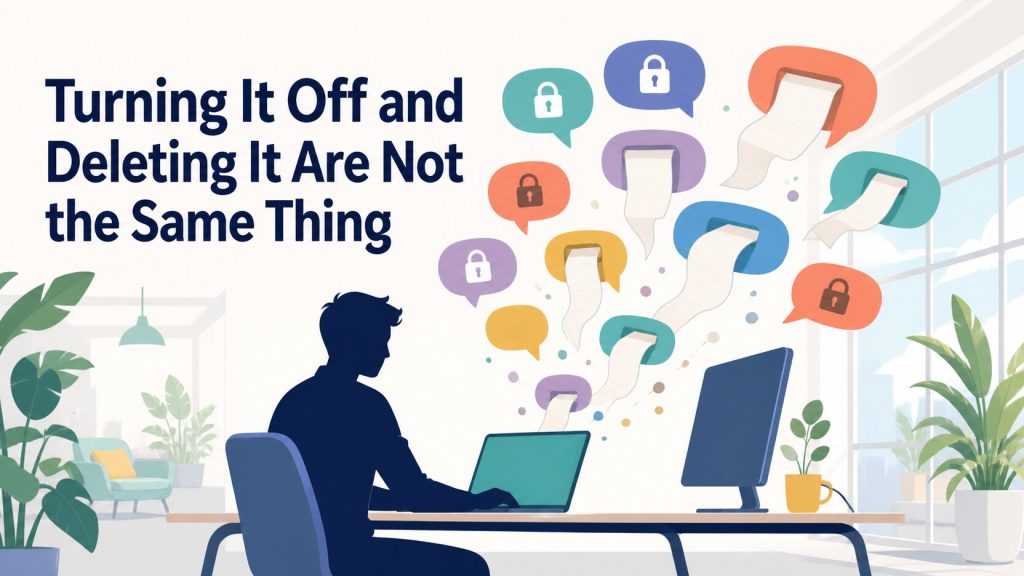
Turning something off and deleting it are not the same thing
What to Watch For When You Use ChatGPT at Work
Plenty of people already use ChatGPT for work, or want to roll it out across their team. And almost everyone who does eventually asks the same question: where does what I type actually go?
This piece works through that question one layer at a time. The goal isn’t to talk anyone out of using ChatGPT — it’s to look at what’s actually documented, and find a way to use it that doesn’t leave you guessing.
One caveat before we start: despite the word “guidelines” in the title, this is one person’s reading of what OpenAI has published, not an official policy. Treat it as a starting point, not the final word.
What Happens When You Type in Something Sensitive?
If you’re using ChatGPT at work, the first worry is usually about confidential information — that whatever you type might end up somewhere it shouldn’t.
It isn’t like posting on a public forum, though. Text you send to ChatGPT travels to OpenAI’s servers and is stored there. At minimum, it isn’t published to some random stranger the instant you hit send.
Where you do need to pay attention is training. On personal plans, by default, what you type can be used to train the underlying model. You can turn that off from Settings, under Data Controls, by disabling “Improve the model for everyone” — that’s the exact label OpenAI’s help documentation uses, so depending on your interface language, the wording you see may differ slightly.
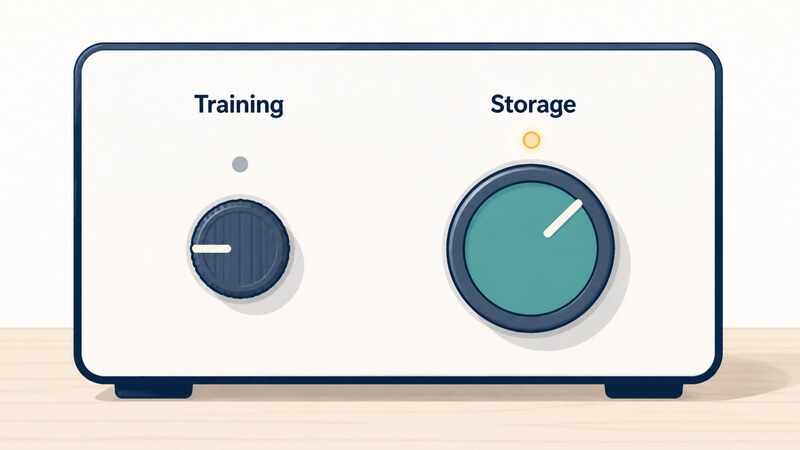
There’s a catch, though. Turning that setting off doesn’t stop your text from being sent to OpenAI’s servers in the first place. The switch that controls training and the switch that controls storage are two entirely separate things.
There’s also a detail that’s easy to miss: even with training turned off, sending a thumbs-up or thumbs-down on a reply can pull that entire conversation back into training. A setting you thought was keeping you safe turns out to have an exception built into it.
So are “used for training” and “gets stored” really the same question, or two different ones?
Two Separate Dials: Training and Storage
The clearest way to think about ChatGPT’s security posture is as two independent dials: whether a conversation is used to train the model, and whether it’s collected and kept on a server. Turning the training dial off doesn’t touch the storage dial at all.
Is there any way to turn storage off entirely, then? No. Not on the Free plan, not on Plus, not on any of the business plans either.
Even Temporary Chat — the mode built for throwaway conversations — isn’t fully exempt. OpenAI’s own documentation says a copy may still be kept internally for up to 30 days for safety purposes. The only path to genuinely zero retention is a subset of business contracts on the API — the channel other software uses to talk to OpenAI directly, without going through the chat screen — that specifically enable Zero Data Retention.
That said, there’s no need to treat this as uniquely alarming. OpenAI states that content is encrypted both at rest and in transit — a description that applies broadly, not something limited to paid or business tiers.
Handing data to any outside server comes with some of the same tradeoffs, whether it’s a generative AI tool or any other cloud service. Generative AI isn’t a special category of risk just because it’s AI — at least that’s how this author reads it, and that reading isn’t something OpenAI itself has stated; take it as one perspective, not a guarantee.
Even so, there are legitimate questions about where that stored data can end up. A Wired piece published July 31, 2024 pointed out that OpenAI’s terms of service let the company share collected data with affiliates, vendors, service providers, and law enforcement.
Open AI says this data is used to train the AI model and improve its responses, but the terms allow the firm to share your personal information with affiliates, vendors, service providers, and law enforcement. “So it’s hard to know where your data will end up,” says Love.
— O’Flaherty, K. (2024, July 31). Can GPT-4o be trusted with your private data? Wired.
OpenAI’s own privacy policy backs this up directly: personal data can be disclosed to vendors and service providers, affiliates, and government authorities.
And in certain cases, OpenAI staff or its contractors can review conversation content themselves. The official help documentation says a limited number of authorized personnel may access user content, but only for specific reasons such as investigating abuse or a safety incident.
So if you want to actually get rid of something you typed, what are your options?
One is Temporary Chat mode. Conversations there never get added to your visible history, are never used for training, and are removed from OpenAI’s systems within 30 days, according to official documentation.
Regular conversations work similarly once deleted: they’re normally removed from the system within 30 days too. There’s an exception, though. Anything that has already been used for training and disassociated from your account falls outside that 30-day window — it isn’t part of what gets cleaned up. And the setting that turns off training doesn’t apply retroactively; it only affects conversations from the point you turn it off onward.
That 30-day clock hasn’t always run at a steady pace, either. In 2025, a court-ordered preservation order tied to a lawsuit brought by The New York Times temporarily paused this deletion process. Both already-deleted conversations and Temporary Chats were kept in place during that period, instead of being removed as they normally would have been.
The order applied to users on the Free, Plus, Pro, and Team plans, along with API customers who hadn’t enabled Zero Data Retention. Enterprise and Edu customers were not affected. That obligation ended on September 26, 2025, and the usual 30-day policy has resumed since.
We’ve mentioned encryption a few times along the way. Does the actual encryption differ from one plan to another?
How ChatGPT Encrypts Your Data
OpenAI publishes a dedicated page called “Enterprise privacy at OpenAI.” It states that for customers on Business, Enterprise, Edu, and the API platform, OpenAI provides ownership and control over company data and helps support compliance requirements.
That page gets specific about encryption, too: data is encrypted at rest using AES-256, and traffic between OpenAI and users, or between OpenAI and its service providers, is protected with TLS 1.2 or higher. Both are widely used, well-trusted standards.
So is that same AES-256 encryption used on the Free and Plus plans too? Separately from that business-facing page, OpenAI’s Trust Portal also states that “all customer data is encrypted at-rest using AES-256.” That page, though, is aimed at business products specifically. A workspace is the shared environment a company gets when it signs up for a business plan, and the page’s own explanation of data retention is framed around workspace admins controlling how long data is kept — so its “all customer” language likely refers to business customers, not every individual user.
The description that applies without carving out plans is the broader one: content is encrypted at rest and in transit, full stop. That’s the statement that also covers Free and Plus users, and there’s currently no indication that encryption is weaker on the free tier.
Given there’s a whole page dedicated to business privacy, what does actually change for customers on Business or Enterprise?
Are Business and Enterprise Plans Actually Safer?
Short answer: the underlying technical mechanisms, like encryption, don’t change dramatically. What’s different is mostly a matter of management and administrative control.
Business plans, by default, don’t use company data to train the model — the same state you’d get by manually turning off “Improve the model for everyone” on a personal account, except it’s the default here from the start.
On plan naming: individual plans are currently organized as Free, Go, Plus, and Pro, while business plans are Business and Enterprise. That said, some of OpenAI’s own help pages still refer to the same tier using the older name “Team.” The rename doesn’t appear to be fully complete across every page yet.
There’s one more meaningful difference on business plans. A workspace admin can see conversations employees have had. On Business, that admin can view, export, and delete those conversations directly; on Enterprise and Edu, admins get access through audit-style compliance logging instead. The mechanism differs, but either way, conversations aren’t invisible inside the organization. If you’re the one rolling ChatGPT out at your company, this is worth explaining to employees up front.
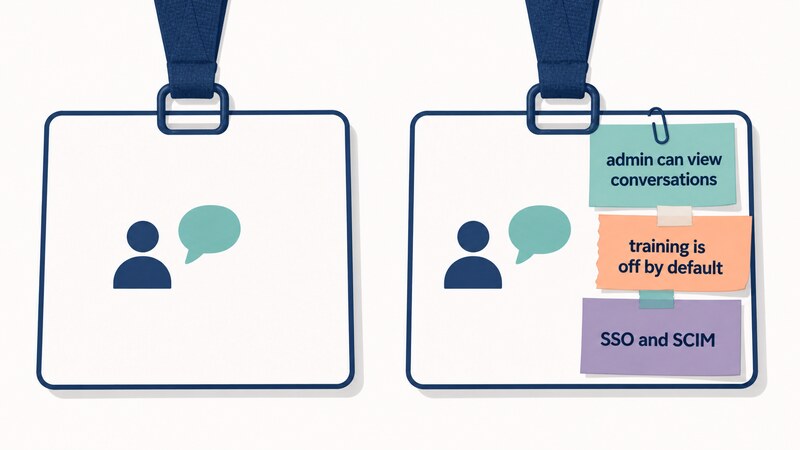
Sign-in works differently too. By default, you log in with an email address and password, or with a Google, Microsoft, or Apple account — what OpenAI’s help documentation calls “social login.” Enterprise adds SAML-based single sign-on (SSO) on top of that, plus SCIM for centrally managing accounts in bulk.
Here’s a point worth being careful about. Because you can already sign in with a Google or Microsoft account, it’s sometimes described as “so free plans support SSO too.” OpenAI itself, though, draws a clear distinction: it calls the business SAML integration “SSO” and calls signing in with Google, Microsoft, or Apple “social login.” Neither is objectively better — social login is convenient for individual use, while SAML and SCIM are built for organizations that need to manage large numbers of employee accounts centrally.
Does that difference carry over into compliance as well?
What About Compliance?
Enterprise gets a separate compliance story on top of its security features. OpenAI’s official pages state that it supports customer compliance with GDPR (the EU’s data protection regulation), CCPA (California’s consumer privacy law), and HIPAA and FERPA (which cover health information and education records, respectively, in the US). OpenAI also states it has completed a SOC 2 Type 2 audit, which is a third-party review of security controls conducted over an extended period.
On certifications, OpenAI holds ISO/IEC 27001 and ISO/IEC 27701 — standards for information security and privacy management — covering the API, Enterprise, and Edu services. ISO/IEC 42001, a certification specifically for AI management systems, extends to consumer products as well.
Put together, the audit trail, certifications, and regulatory support are noticeably deeper on business plans. There are also practical perks like workspace features for teams and higher usage limits, but those fall outside what this piece is about.
What You Can Actually Do About It
The basic step, if you’re on Free or Plus, is turning off “Improve the model for everyone.” Pair that with a habit of not clicking feedback buttons casually — even with the toggle off, a conversation you give feedback on can still end up used for training.
Next is putting Temporary Chat mode to use. Conversations there don’t get added to your history, aren’t used for training, and get removed internally within 30 days. It’s also worth clearing out old conversations from your regular history once you’re done with them.
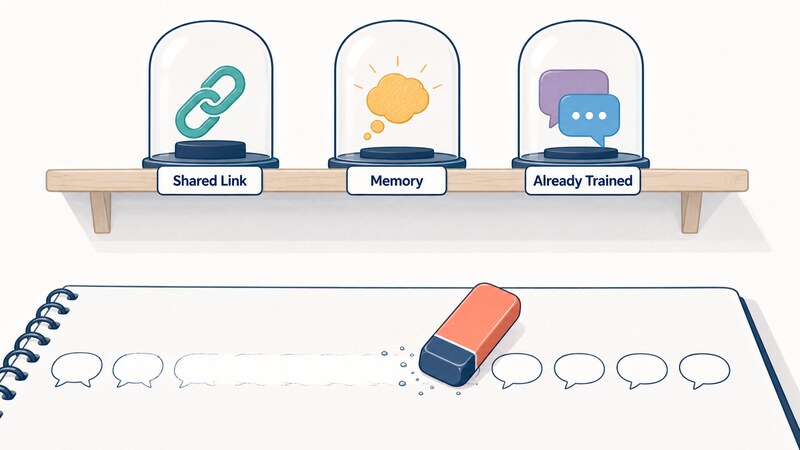
Watch for the three places that “deleted” doesn’t reach. The first is shared links. Turning a conversation into a link and handing it to someone means anyone who has that URL can read it. If the person you shared it with already imported the conversation into their own history, deleting the link on your end won’t remove it from theirs.
The second is memory. What ChatGPT remembers about you is stored separately from your conversation history. So deleting the conversation that originally taught ChatGPT something about you doesn’t erase what it remembered from it.
The third is anything already used for training. Once a conversation has been disassociated from your account, deleting it later doesn’t undo that. The setting that turns off training only applies going forward, not to anything that happened before you flipped it.
One more thing worth flagging is ads. They only appear on the Free and Go plans — not on Plus, Pro, Business, Enterprise, or Edu. OpenAI states that advertisers never get access to the content of your conversations. If ads bother you, moving to a paid plan is one way to avoid them.
None of this holds up well if it’s left to individual employees to figure out on their own. Building and circulating internal guidelines — spelling out how to handle sensitive information and exactly which settings to turn off — makes this far easier to put into practice.
Moving to Business or above is another lever, beyond relying on individual settings. Business data is excluded from training by default, and admins can manage accounts and permissions centrally, which makes company-wide policy much easier to enforce. That comes with a tradeoff worth understanding, though: it also puts admins in a position where they can see employee conversations.
Departed employees’ accounts are easy to overlook, too. Leaving an unused account sitting around is a common gap — deleting it promptly when someone leaves the company is a simple, unglamorous, but genuinely effective step.
A Side Note: Is Running It Yourself the Real Answer?
For anyone who’d rather not send data to an outside server at all, there’s another option worth knowing about: open-weight models. These are models whose internal parameters — the “weights” that define how they behave — are published publicly, so anyone can download and run them on their own hardware instead. Because the hardware sits inside your own organization, this is usually called running it “on-premises.”
In August 2025, OpenAI released two such models, gpt-oss-120b and gpt-oss-20b, under the Apache 2.0 license. The weights are freely downloadable, and anyone can run them in their own environment.
The hardware requirements aren’t as intimidating as you might expect. gpt-oss-120b runs on a single 80-gigabyte GPU — the type of processor originally built for graphics rendering that’s now widely used for AI computation. The lighter gpt-oss-20b runs on around 16 gigabytes of memory.
Not sending data outside your organization brings real peace of mind, but it also means taking on the responsibility of securing and operating that environment yourself. Self-hosting a model only to leave it wide open to outside access would defeat the entire point. Whether your team actually has the skills and staffing to run this safely is a question worth asking honestly before committing.
There’s also a cost angle in on-premises models’ favor: no usage-based billing. Electricity costs money, but there’s no per-request or per-token charge that scales up as usage grows.
The Bottom Line
If your company is using ChatGPT, here’s what’s worth keeping in mind.
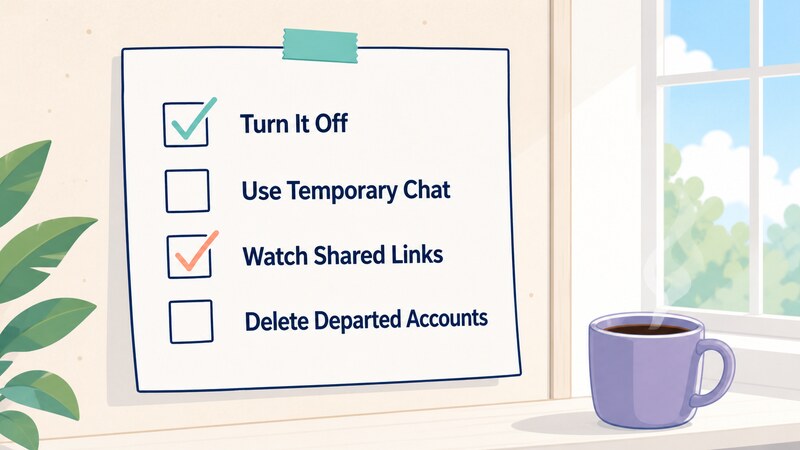
Non-negotiable:
- Write internal guidelines
- Make a rule that sensitive information never goes into a prompt
- Turn off “Improve the model for everyone”
- Don’t click feedback buttons casually
- Delete departed employees’ accounts (for company-managed accounts)
Worth doing if you can:
- Move to Business or above if it’s an option
- Default to Temporary Chat as a habit
- Periodically clear out old chat history
- Stay alert about shared links and memory
There’s no getting security risk down to zero. But knowing what actually disappears and what quietly stays around changes which precautions are worth your time. What’s one thing on this list you could fix starting today?
This piece is meant for informational purposes only and doesn’t guarantee accuracy or completeness. Some of it reflects one interpretation of publicly available information. The author isn’t responsible for any loss or disadvantage that results from acting on it — apply your own judgment before you do.
Sources
- OpenAI Privacy Policy (basis for: submitted content being stored, and disclosure of personal data to vendors, affiliates, and authorities)
- How your data is used to improve model performance (default training use, and the feedback-triggered training exception)
- Data Controls FAQ (how to turn off training, and why chat history still shows up afterward)
- Temporary Chat FAQ (30-day internal retention for Temporary Chat)
- Enterprise privacy (AES-256 at rest and TLS 1.2+ in transit, storage can’t be fully disabled outside Zero Data Retention API contracts, default training policy for business plans, admin controls)
- Security & privacy (plan-agnostic encryption statement, GDPR/CCPA/HIPAA/FERPA support, ISO certifications)
- Trust Portal (Data Security) (AES-256 encryption statement and its business-plan scope)
- Can GPT-4o be trusted with your private data? (Wired) (published July 31, 2024)
- Data usage for consumer services FAQ (30-day deletion window, the already-trained-data exception, authorized personnel access)
- OpenAI’s official response to NYT data demands (affected plans under the preservation order, and the obligation’s end date)
- ChatGPT pricing page (current plan names)
- Getting started with identity and provisioning (default authentication methods, SAML SSO, SCIM)
- Can I change how I log into my account (OpenAI’s distinction between SSO and social login)
- Shared Links FAQ (who can view a shared link, and what happens after you delete it)
- Memory FAQ (memory being stored separately from chat history)
- Ads in ChatGPT (which plans show ads, and that advertisers don’t get access to conversation content)
- Introducing gpt-oss (release of gpt-oss-120b and gpt-oss-20b, and their hardware requirements)