
Whose Job Is It to Open That Door?
Part 6 of 6 (series finale): authorization design, telling legacy from modern, and whether generated SQL should just run
This is the sixth and final part of a six-part series called “Building an MCP Client in React.” Part 1, “Where Does the MCP Client Actually Live?”, drew the map: a host, a client, and a server talking over JSON-RPC 2.0, split across a legacy era that opens a session through a one-time initialize handshake (2025-11-25 and earlier) and a modern era that states its protocol version on every request (2026-07-28 and later). Part 2, “What Does an MCP Server Actually Listen For?”, measured Streamable HTTP’s actual required headers and the raw shape of an SSE reply. Part 3, “What Does an MCP Server’s Counter Actually Hand You?”, looked at how a server designs its tools and resources. Part 4 covered the React side of the host: calling the server straight from a browser, reading SSE, and cancellation. Part 5 covered work that can’t just wait — progress notifications, subscriptions, the Tasks extension, and the finding that cancelling a task changes its status without stopping the work.
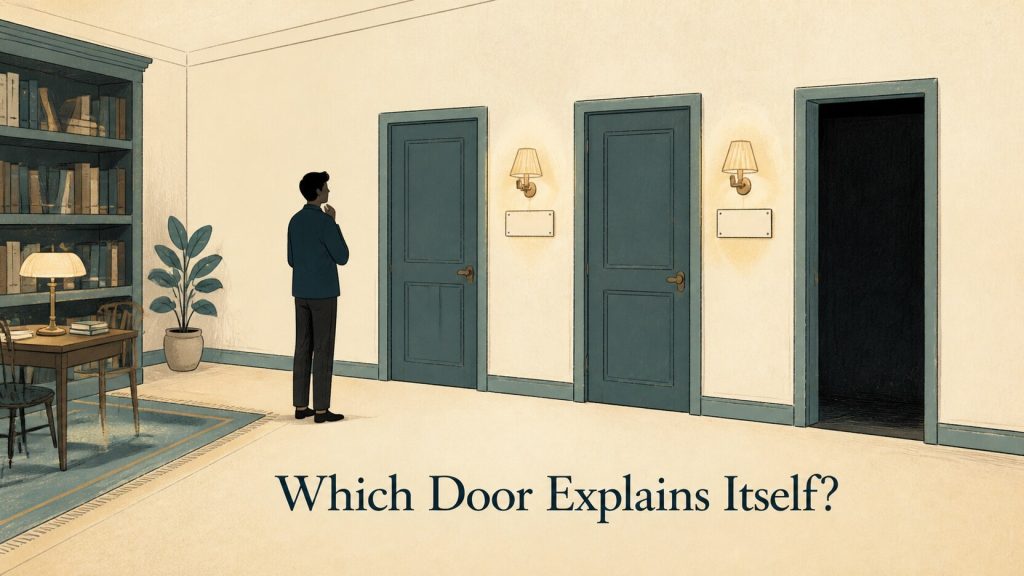
This closing part is organized around three pillars. The first is authorization design, something this series set aside from the very first part. The second is how a client, in a world where legacy and modern coexist, actually tells which era it’s talking to. The third pillar changes register: it turns the question back on the series’ own running example — is it actually safe to run the SQL an LLM assembled, exactly as assembled?
Recall the running example: a user’s natural-language question becomes SQL via an LLM, that SQL gets passed to a Tool the MCP server exposes for running SQL, and the result comes back as a table. Every part up to this one built that flow on the assumption that the gateway accepts a request from anyone who shows up. This part removes that assumption and puts a door in front of the counter, one that asks “who are you” before anything else happens.
New Cast: Resource Server and Authorization Server
Before getting into authorization, it’s worth naming the roles this part introduces. On top of the host, client, and server from part 1, the authorization story adds two more.
| Role | What the spec says | Where it sits in the running example |
|---|---|---|
| Resource Server | Validates access tokens and responds to protected resource requests | The MCP server itself — the gateway to the database |
| Authorization Server | Interacts with the user and issues access tokens | A service outside MCP (not a real one in what follows) |
The spec states the protected MCP server’s role plainly.
A protected MCP server acts as an OAuth 2.1 resource server, capable of accepting and responding to protected resource requests using access tokens.
In plain terms: a protected MCP server behaves as an OAuth 2.1 resource server, accepting and responding to protected resource requests that carry an access token. The MCP client, in turn, behaves as an OAuth 2.1 client.
One more thing worth settling up front is that authorization is not a required part of MCP.
Authorization is OPTIONAL for MCP implementations. When supported: Implementations using an HTTP-based transport SHOULD conform to this specification. Implementations using an STDIO transport SHOULD NOT follow this specification, and instead retrieve credentials from the environment.
Authorization is OPTIONAL for MCP implementations; when an implementation does support it, an HTTP-based transport should follow this specification, while a stdio transport should not — it should pull credentials from the environment instead. stdio (the mode where the client talks to a subprocess it launched, over that subprocess’s own standard input and output — see part 1) already runs inside a somewhat trusted environment, given that starting the subprocess is itself a privileged act, so reading credentials from an OS environment variable or a keychain is enough there. What this part covers is the other case: exposing the running example’s database gateway over a network, which means an HTTP-based transport.
Pillar One: Authorization — Tracing the Entry Point from a 401
A Fabricated Verifier, Not a Real Authorization Server
Everything measured from here on used the SDK’s bundled authorization middleware — requireBearerAuth and the metadataHandler that serves protected resource metadata — to stand up an MCP server as an OAuth 2.1 resource server, with three hand-crafted tokens (valid, under-scoped, and expired). The setup looks roughly like this.
app.use('/.well-known/oauth-protected-resource', metadataHandler({
  resource: BASE + '/mcp',
  authorization_servers: [BASE + '/as'],
  scopes_supported: ['files:read'],
}));

const auth = requireBearerAuth({
  verifier,
  requiredScopes: ['files:read'],
  resourceMetadataUrl: BASE + '/.well-known/oauth-protected-resource',
});

app.all('/mcp', auth, /* … MCP handler … */);
The token verifier (verifier) is a minimal fabrication and never connects to a real authorization server. The environment was Node.js v22.12.0, @modelcontextprotocol/sdk version 1.30.0, run on 2026-08-06.
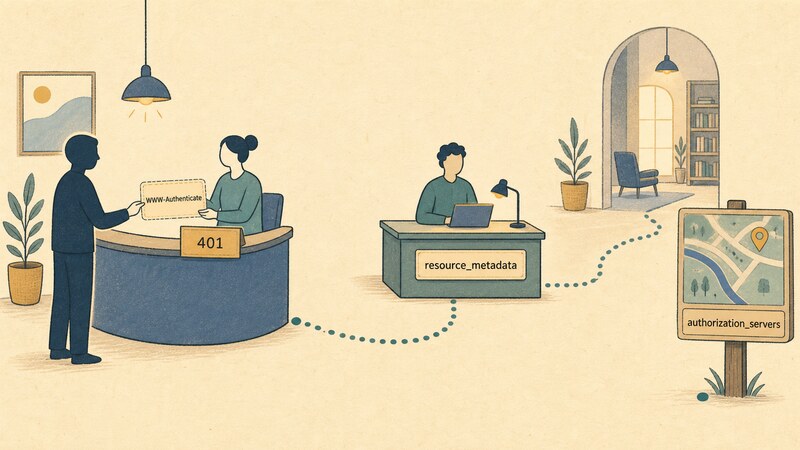
The WWW-Authenticate Header on a 401 Is the Entry Point
Hitting the MCP server with no token attached produced this response.
401 Unauthorized
WWW-Authenticate: Bearer error="invalid_token", error_description="Missing Authorization header", scope="files:read", resource_metadata="http://127.0.0.1:3801/.well-known/oauth-protected-resource"

{"error":"invalid_token","error_description":"Missing Authorization header"}
The WWW-Authenticate header carries error, error_description, scope, and resource_metadata. Of these, the resource_metadata URL is the client’s clue for “where to go next.” Fetching that URL returned this JSON.
200 OK
{"resource":"http://127.0.0.1:3801/mcp","authorization_servers":["http://127.0.0.1:3801/as"],"scopes_supported":["files:read"]}
authorization_servers is where the token-issuing authorization server lives. The spec cites this metadata format as RFC 9728 (OAuth 2.0 Protected Resource Metadata), requiring an MCP server to implement it as a MUST and requiring a client to use it as a MUST for locating an authorization server. Everything past this point — actually reaching an authorization server and going through an authorization code flow, PKCE, or Dynamic Client Registration — was not tested here. The fabricated verifier just puts a value in authorization_servers; no real authorization server sits behind it.
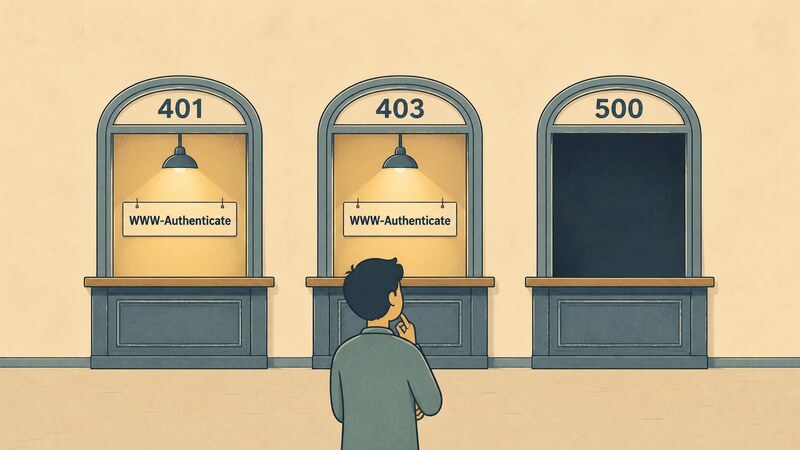
401 vs. 403
The spec defines how the error codes should be used.
| Status | Meaning | When to use it |
|---|---|---|
| 401 | Unauthorized | Authorization is required, or the token is invalid |
| 403 | Forbidden | Insufficient scope or permission |
| 400 | Bad Request | Malformed request |
The measurements matched this split. Below are the results of sending an expired token, an under-scoped token, and a valid token, in that order.
401  WWW-Authenticate: Bearer error="invalid_token", error_description="Token has expired", scope="files:read", resource_metadata="http://127.0.0.1:3801/.well-known/oauth-protected-resource"
403  WWW-Authenticate: Bearer error="insufficient_scope", error_description="Insufficient scope", scope="files:read", resource_metadata="http://127.0.0.1:3801/.well-known/oauth-protected-resource"
200  event: message
     data: {"result":{"content":[{"type":"text","text":"hello"}]},"jsonrpc":"2.0","id":1}
The 403 case carries the required scope, scope="files:read", right in the header — enough for a client to know exactly what to add before trying again. 401 means “we don’t know who you are”; 403 means “we know who you are, but that’s not enough.”
One Exception Type Decides Whether the Entry Point Disappears
This is the most practically important trap in this part. Send the same “token we don’t recognize” twice, and the response can come out completely different depending on how the verifier’s code is written. If the verifier throws InvalidTokenError, the response is a spec-compliant 401, like this.
401 Unauthorized
WWW-Authenticate: Bearer error="invalid_token", error_description="Token not recognised", scope="files:read", resource_metadata="http://127.0.0.1:3801/.well-known/oauth-protected-resource"

{"error":"invalid_token","error_description":"Token not recognised"}
But if the verifier throws a plain Error, this happens instead.
500 Internal Server Error

{"error":"server_error","error_description":"Internal Server Error"}
There’s no WWW-Authenticate header at all. The spec requires a 401 as a MUST for an invalid token, so this response falls outside the spec. And from the client’s point of view, a 401 at least says “authorization seems to be required” — a 500 doesn’t even tell you that much. The WWW-Authenticate signpost is gone, and the entry point into the authorization flow disappears along with it. This isn’t a shortcoming of MCP’s middleware; it comes down to which exception type the person writing the verifier chose to throw. Handing the authorization machinery to the SDK still leaves the actual token-checking code as something the application has to write, and that one line decides whether the result is a 401 or a 500.
Tokens Go in the Header Only, Never the Query String
The spec also restricts how an access token is allowed to travel.
MCP client MUST use the Authorization request header field… Access tokens MUST NOT be included in the URI query string
The MCP client must use the Authorization request header field, and access tokens must not be included in the URI query string. Attaching a token to the query string instead produced the same result as sending no header at all.
POST /mcp?access_token=good-token

401 Unauthorized
{"error":"invalid_token","error_description":"Missing Authorization header"}
The implementation only looks at the header, so a perfectly valid token sitting in the query string still comes back 401. The implementation’s behavior and the spec’s prohibition point the same direction here.
Audience Validation Is a Spec MUST — We Didn’t Verify It
The spec requires a server to validate whether a token was issued specifically for it — its audience.
MCP servers MUST validate that access tokens were issued specifically for them as the intended audience, according to RFC 8707 Section 2… MCP servers MUST only accept tokens that are valid for use with their own resources. MCP servers MUST NOT accept or transit any other tokens.
MCP servers must validate, per RFC 8707 Section 2, that an access token was issued for them specifically as the intended audience; they must only accept tokens valid for their own resources, and must not accept or pass along any other tokens. This is one of the more important requirements in OAuth 2.1, and this testing did not exercise it. The token verifier used here just looks values up in a constant table — it has no machinery for reading an audience claim at all. For the same reason, the following items were not exercised either, and appear here only as spec text.
- Whether the
resourceparameter defined by RFC 8707 lands correctly in both the authorization request and the token request - The actual round trip of PKCE (protection against authorization code interception)
- Authorization server metadata discovery and
issvalidation (RFC 9207) - Dynamic Client Registration (RFC 7591)
- Obtaining and refreshing a refresh token
- Step-up (re-)authorization when scope turns out to be insufficient
- Defenses against confused-deputy attacks or token passthrough
Pillar Two: Legacy and Modern in the Wild — How Do You Tell “It Worked”?
Recalling the Compatibility Matrix
Part 1 established that the legacy and modern eras coexist, and that the latest official SDK still only works within the legacy era. The spec’s Compatibility Matrix states that a modern client connecting to a legacy server fails, and goes further into what that failure actually looks like.
Modern | Legacy | Fails. The server may reject the request with an implementation-defined error, stay silent, or even process an era-ambiguous method under legacy semantics.
A modern client connecting to a legacy server fails; the server might reject the request with an implementation-defined error, might stay silent, or might even go ahead and process an era-ambiguous method under legacy semantics. In other words, “it fails” is one sentence covering a range of behaviors that vary by implementation — that qualifier comes from the spec itself.
Judging “It Worked”: Not “Did We Get a 400” but “Does the Body Match a Known Modern Error”
So how does a dual-era client tell which era it’s actually talking to? The spec defines the check for HTTP as follows.
Streamable HTTP: attempt a modern request and inspect the body of a 400 Bad Request before falling back. … a recognized modern JSON-RPC error (such as UnsupportedProtocolVersionError) identifies a modern server: the client retries with a supported version rather than falling back. Anything else identifies a legacy server.
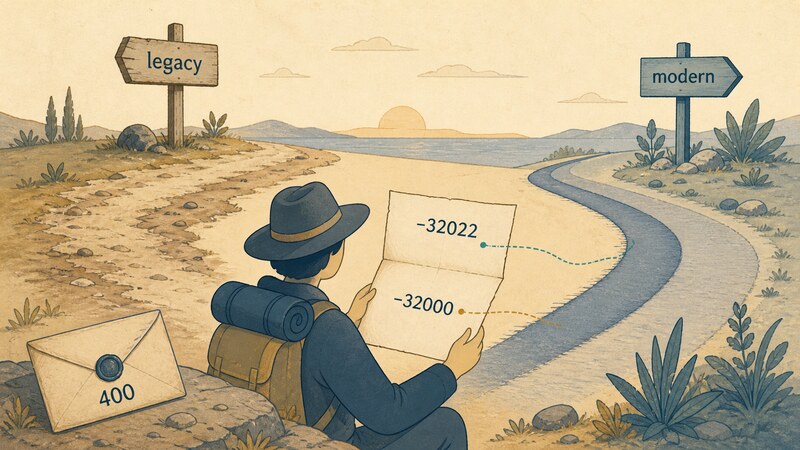
Over Streamable HTTP, a client attempts a modern-shaped request and, before falling back, inspects the body of a 400 Bad Request. A recognized modern JSON-RPC error — UnsupportedProtocolVersionError, for instance — identifies a modern server, and the client retries with a supported version instead of falling back; anything else identifies a legacy server. The deciding factor isn’t “did a 400 come back,” it’s “does the body of that 400 match the modern error vocabulary the spec defines” — things like error code -32022, UnsupportedProtocolVersionError. Sending a modern-shaped request (carrying MCP-Protocol-Version: 2026-07-28) to the same SDK used in parts 1 and 2 produced this 400.
400 Bad Request
{"jsonrpc":"2.0","error":{"code":-32000,"message":"Bad Request: Unsupported protocol version: 2026-07-28 (supported versions: 2025-11-25, 2025-06-18, 2025-03-26, 2024-11-05, 2024-10-07)"},"id":null}
The error code is -32000, not the -32022 the spec defines. Applying the spec’s own test, this is “not a recognized modern error,” so a dual-era client would classify this server as legacy and fall back to an initialize handshake. Actually falling back like that gets through.
POST (initialize, protocolVersion: 2025-11-25)
200 OK
event: message
data: {"result":{"protocolVersion":"2025-11-25","capabilities":{"tools":{"listChanged":true}},"serverInfo":{"name":"sandbox-server","version":"0.0.1"}},"jsonrpc":"2.0","id":9}
The Missing server/discover Is Another Signal
Sending server/discover — a method modern requires — to the same server produced this.
{"jsonrpc":"2.0","id":10,"error":{"code":-32601,"message":"Method not found"}}
-32601 Method not found. The spec’s stdio-side detection procedure is to call server/discover first and treat anything other than a recognized modern error as legacy. Trying the same method over HTTP here surfaced the same signal — a method modern requires simply isn’t implemented — reinforcing the legacy classification already reached above.
Pillar Three: Should Generated SQL Just Run?
From here on, this is spec text and general reasoning, not a measurement. No real database was connected for this section, and there’s no measurement behind it.
Tools Represent Arbitrary Code Execution
The spec’s “Security and Trust & Safety” section positions Tools like this.
Tools represent arbitrary code execution and must be treated with appropriate caution. In particular, descriptions of tool behavior such as annotations should be considered untrusted, unless obtained from a trusted server. Hosts must obtain explicit user consent before invoking any tool. Users should understand what each tool does before authorizing its use.
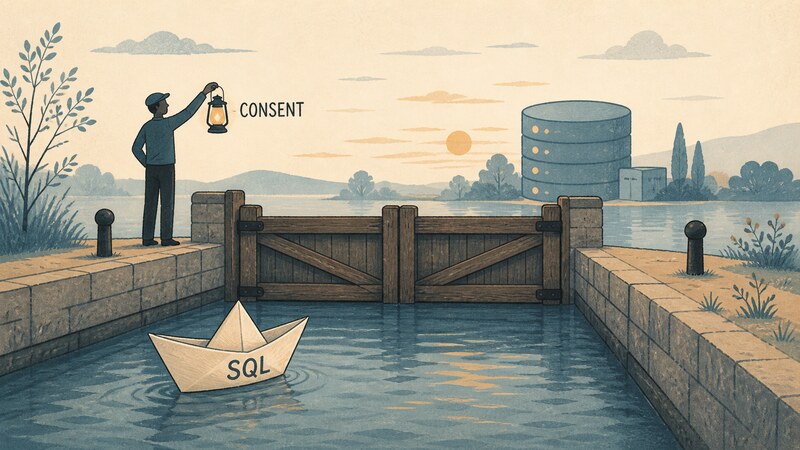
Tools represent arbitrary code execution and must be treated with appropriate caution; in particular, descriptions of tool behavior such as annotations should be considered untrusted unless they come from a trusted server; hosts must obtain explicit user consent before invoking any tool, and users should understand what a tool does before authorizing its use. Mapped onto the running example: the SQL an LLM assembles gets passed as an argument to the Tool the MCP server exposes for running SQL, and that Tool call is itself an act of arbitrary code execution against the database. Read straightforwardly, “hosts must obtain explicit consent before invoking” means a host needs a design where every one of these Tool calls asks the user, “is it OK to run this SQL?”
Tool Descriptions and Annotations Can’t Be Trusted
What the spec names outright as untrustworthy is the Tool’s own annotations. An MCP Tool definition can carry hints declaring whether an operation is read-only or destructive, but the spec is explicit that “descriptions of tool behavior such as annotations should be considered untrusted, unless obtained from a trusted server.” Even if the running example’s SQL Tool self-reports “this is read-only,” whether a host can take that self-report at face value when deciding whether to run it depends entirely on how much it trusts the server offering the Tool.
Questions for the Reader
This section isn’t here to conclude anything — it’s a set of questions for checking your own design.
- Is generated SQL shown to the user before it runs? If so, every time, or once per session?
- If consent is captured once and cached, and the next piece of SQL the LLM assembles differs from what was first shown, is it still fair to treat it as covered by the same consent?
- Does the decision to run something rely on a Tool’s own description or annotations (read-only, destructive, and so on)? If so, which server issued that description?
- Does the host judge what generated SQL actually does — an update versus a delete — by reading the SQL text itself, or does it lean entirely on the Tool’s self-report?
- Is consent captured per Tool call, or per natural-language question? If it’s the latter, and the LLM changes its plan mid-way, does the consent captured at the start still hold?
There’s no single right answer to these questions. All the spec sets down is the bare minimum MUST — “hosts must obtain explicit consent before invoking” — and leaves the granularity of that consent, and the UI it’s captured through, entirely to implementation-side design. It’s worth deciding, ahead of time, who owns that design decision.
Redrawing the Map of All Six Parts
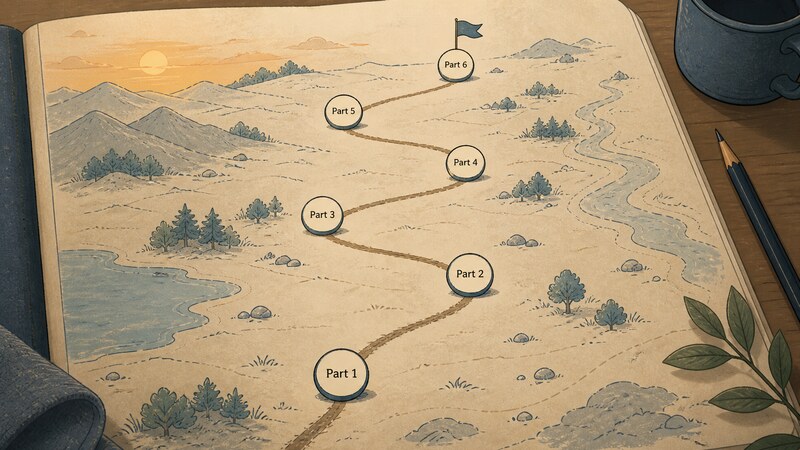
To close, here’s a look back across all six parts.
| Part | What it covered |
|---|---|
| 1 | Host, client, and server; JSON-RPC 2.0; the legacy and modern eras |
| 2 | Streamable HTTP in the wild — required headers, Accept, the raw shape of SSE, Origin/Host validation |
| 3 | Server-side design — tools and resources, inputSchema / outputSchema |
| 4 | The React side — calling straight from a browser, reading SSE, cancellation |
| 5 | Work that can’t just wait — progress notifications, subscriptions, the Tasks extension, and cancellation that changes status without stopping the work |
| 6 | Authorization design, dual-era legacy/modern detection, whether it’s safe to run generated SQL as-is |
Four things kept resurfacing across this map.
The Spec Runs Ahead of the Implementation
Part 1 established that the spec’s current revision is 2026-07-28, while the official SDK’s latest release only implements up to 2025-11-25. That gap shows up in this part’s pillars too: audience validation is one of the spec’s most important MUSTs, and the fabricated verifier couldn’t exercise it. There’s always a distance between where the spec says things ought to be and where you can actually check, hands on the keyboard.
The Protocol Asks; It Doesn’t Enforce
Parts 4 and 5 established that cancellation is cooperative — nothing stops if a handler never checks the signal. Authorization has the same shape. The spec says as much itself.
While MCP itself cannot enforce these security principles at the protocol level, implementors SHOULD: Build robust consent and authorization flows into their applications…
MCP itself can’t enforce these security principles at the protocol level; implementors should build robust consent and authorization flows into their applications. Just as a host can ignore a cancellation signal, a host can also skip the flow that’s supposed to ask for consent. The protocol defines the shape and the vocabulary; whether an implementation actually follows it is left to the implementer’s judgment — the same structure keeps showing up.
Failure Sometimes Wears the Face of Success
Part 2 established that a batch’s response order coming back reversed from request order is spec-legal behavior, and that a GET stream can sit at 200 for as long as you wait without ever terminating. Part 3 established that a Tool failure lands in isError, never a JSON-RPC error. This part’s 500 — the one with no WWW-Authenticate, where the fact that authorization is even required never reaches the client — belongs on that same list. What ties these together is that the response’s surface alone sometimes isn’t enough to tell you what to do next.
What’s Left to Check
A last list of what this series deliberately left untouched: a real authorization server with a full PKCE flow, audience validation, iss validation, Dynamic Client Registration, and the actual behavior of HeaderMismatch and server/discover once a modern-era (2026-07-28) implementation shows up. All of these were introduced only as spec text, never as measurements. One more question this series never settled: at what granularity does your own host capture consent for generated SQL? The spec only answers so much of that; the rest is left to each reader’s own design.
Wrapping Up
Part 1 opened by drawing the three-party map of MCP, and this closing part ends at one of the sharpest edges of actually building the thing: authorization, era compatibility, and running generated SQL. On authorization, the WWW-Authenticate header on a 401 is the entry point — and the measurements here confirmed that one line of code choosing which exception type a verifier throws can make that same entry point vanish into a 500. On the legacy/modern split, what decides the outcome isn’t “did a 400 come back” but “does the body of that 400 match a known modern error.” On running generated SQL, the spec sets down only the bare minimum — explicit consent, and treating annotations as untrusted — and leaves everything past that to someone’s design. What this series drew wasn’t so much a blueprint for a single protocol as it was a record of the judgment calls made, again and again, by whoever stands between a spec and an implementation.
Articles in This Series
Read from Part 1 and the series runs as one line, from mapping the spec to code that runs in a browser. Each part also stands on its own, so jump around from here whenever you want to.
- Part 1: Where Does the MCP Client Actually Live? — host, client, and server, and the legacy-to-modern fault line
- Part 2: What Does an MCP Server Actually Listen For? — required Streamable HTTP headers, SSE, and Origin validation
- Part 3: What Does an MCP Server’s Counter Actually Hand You? — schemas, annotations, and the two ways a call fails
- Part 4: Can React Talk to an MCP Server Directly? — CORS, a BFF, reading SSE, and cooperative cancellation
- Part 5: How Does MCP Handle Work You Can’t Wait For? — progress notifications, subscriptions, and the Tasks extension
- Part 6: Whose Job Is It to Open That Door? (this article) — authorization, legacy/modern detection, and running generated SQL
Primary Sources
- Authorization (2026-07-28) — authorization being OPTIONAL, the resource server / authorization server roles, Protected Resource Metadata via RFC 9728, the
resourceparameter via RFC 8707, how access tokens must be carried, the 401/403/400 split, the audience-validation MUST, and the descriptions ofissvalidation, Dynamic Client Registration, refresh tokens, and step-up authorization - Versioning and Compatibility (2026-07-28) — the compatibility matrix, the shape of a Modern × Legacy failure, the HTTP-side detection method (inspecting the body of a 400), and the stdio-side detection procedure via
server/discover - Specification (latest) — the Security and Trust & Safety section: Tools as arbitrary code execution, treating annotations as untrusted, hosts needing explicit consent before invocation, and MCP not being able to enforce any of this at the protocol level
- RFC 9728 — OAuth 2.0 Protected Resource Metadata
- RFC 8707 — Resource Indicators for OAuth 2.0
- RFC 6750 — The OAuth 2.0 Authorization Framework: Bearer Token Usage
- OAuth 2.1 Authorization Framework (draft-ietf-oauth-v2-1-13)