
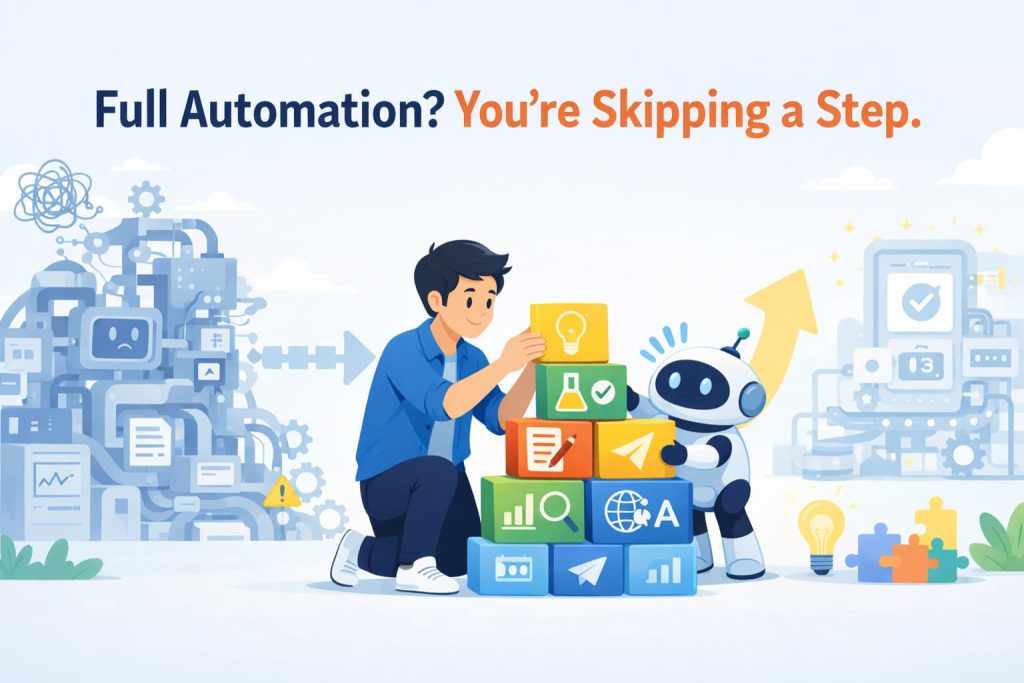
Full Automation? You’re Skipping a Step.
The Dream (and Reality) of Full Automation
“Can’t we just automate all of this with AI?” If you’ve ever had that thought, you’re not alone. The weekly research, the blog posts, the social media updates — they all feel like repetitive routines. Hand them off to an AI agent, and you’re free. It’s a tempting vision.
I bought into it completely. As an in-house software engineer at Hirose Paper, I set out to fully automate my routine tasks using AI agents. “How hard could it be?” I thought. Spoiler: harder than I expected.
My initial estimate was way off. But the attempt taught me something valuable. Let me share what I learned.
My Attempt at Full Automation
I started with blog writing — the whole pipeline. Topic ideation, research, hands-on testing, outlining, drafting, English translation, and publishing. One seamless, end-to-end automated workflow.
Specifically, I set up GitHub Actions to run weekly scans of tech trends. The AI would surface interesting topics, I’d pick the ones I liked, and the system would synthesize them into a finished output. Clean and elegant, at least in theory.
I didn’t stop at blogging. I also tried automating social media — summarizing existing blog posts into social-friendly formats and scheduling them. I even explored using AI to generate UI for internal tools.
It Worked. Then I Stopped Using It.
The systems did work, technically. They ran. They produced output. But the overall experience was… underwhelming. One by one, I stopped using them.
Here’s why. Take blog writing alone. It’s actually a chain of distinct tasks: brainstorming topics, researching, hands-on testing, building an outline, developing each section, writing the prose, and translating to English. When any single task in that chain produces mediocre output, the entire result suffers.
There was another factor I’d completely overlooked: maintenance cost. When you build an integrated automation tool, it only works well if every piece works well. One weak link, and you’re back to doing it manually. But improving the whole system at once? That’s expensive. Gradually, the friction won out, and I just stopped bothering.
The Realization: Every Task Is a Bundle of Smaller Tasks
This experience revealed something that should have been obvious. Even tasks that look simple are actually bundles of smaller, distinct tasks.
Blog writing, for example, breaks down into at least seven sub-tasks. Each one demands its own skill set. Brainstorming is not outlining. Outlining is not writing. Writing is not translating.
With the all-in-one approach, every sub-task has to be excellent for the system to be usable. If even one falls short, the whole thing feels broken. I hit the same wall with social media automation and UI generation.
Switching to Task Decomposition
So I changed my approach. I set aside the dream of full automation and reframed the goal: make manual work more efficient. Then I picked one task at a time and refined it until it was genuinely useful.
For blog writing, I started with just one piece: generating a structured brief from an interview. Nothing else. I polished that single task until it worked reliably and felt natural to use. Only then did I move to the next task.
The beauty of this approach is that each task has a limited surface area. Maintenance is manageable. Improvements are cheap. You can iterate quickly without worrying about breaking something elsewhere. And here’s the thing: full automation is what you get when every individual task is optimized. What looks like a detour turns out to be the shortest path.
The Takeaway: Slow Is Smooth, Smooth Is Fast
I still believe full automation is the right goal. But the path there matters more than I realized.
Trying to automate everything at once is deceptively expensive. I wish I could go back and warn my past self about the maintenance costs alone. The better way: decompose your work into tasks, automate them one by one, and do each one well. Full automation is what waits at the end of that road.
If you’re fired up about automating everything with AI, try this first: break your workflow into its component tasks. Start with one. Make it great. Then move to the next. It feels slower — but it’s how you actually get there.